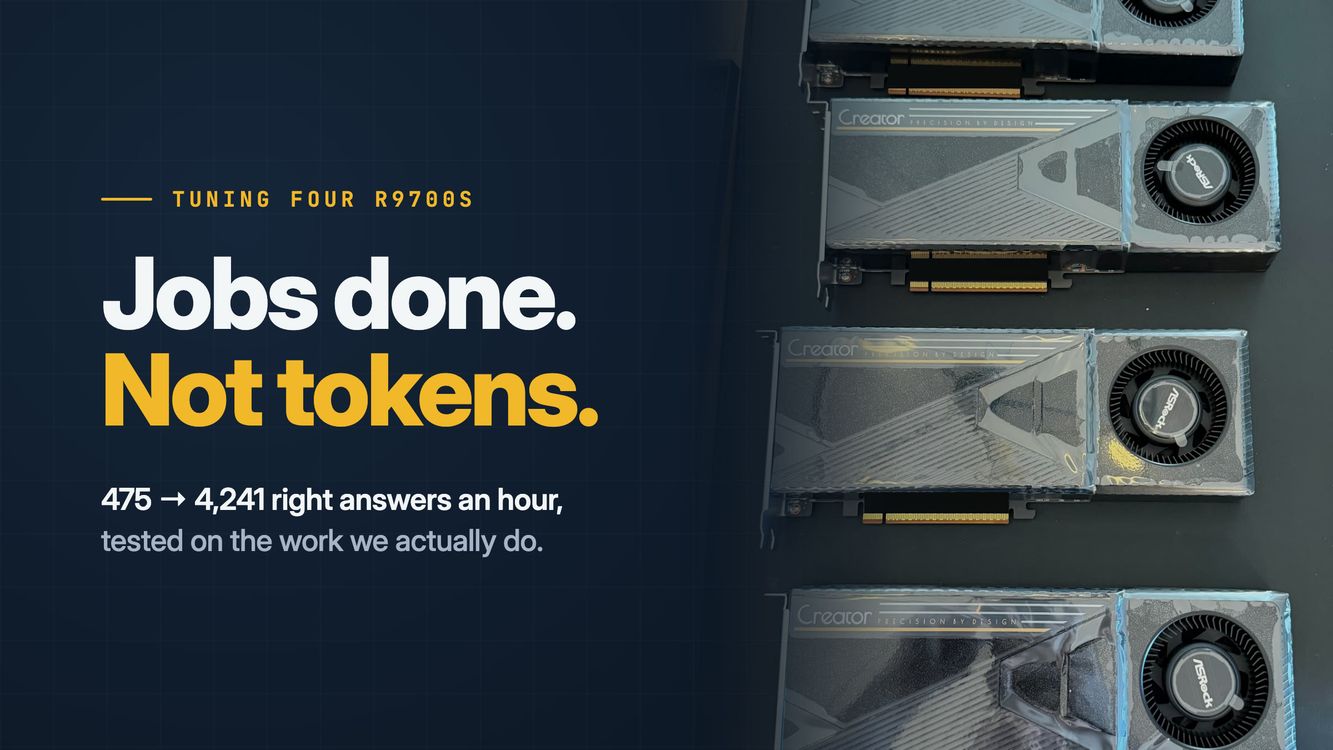
How to Tune Your R9700s for Your Workload
The short version: we took one of our 4-card, 128 GB servers and tuned it on 100 real jobs from USA Arms. Stock vLLM did 475 right answers an hour. Tuned, the same cards do 4,241, almost 9x more. The video and the free tuning guide with every flag are below.
If we'd followed the popular TPS benchmarks, we'd be losing a third of our work. And there's a lesson here that applies to you, even if you don't run our model: tune on your own jobs, not someone else's benchmark.
Jobs, not tokens
Most videos and posts about these cards obsess over raw tokens per second, and the comments are all "decode TPS, bro" and "why not 4x RTX 6000 Pros?"
I'm not shaming TPS maxxing, but for me, real jobs maxxing is the game.
My local models are machines that empower my business.I measure their contribution by jobs done, not tokens.
For USA Arms, the models extract the data behind our profiles of gun stores, instructors, gunsmiths and more. If they get it wrong, something else has to catch it or fix it. So the number I care about is right answers an hour.
Your number might be different. If you're the only one using your box for coding, it's probably how long you wait for a usable answer. If you're chewing through documents overnight, it's how many come out right by morning. Figure out which one it is before you touch a flag, because the settings that help one can hurt the other.
How I measured
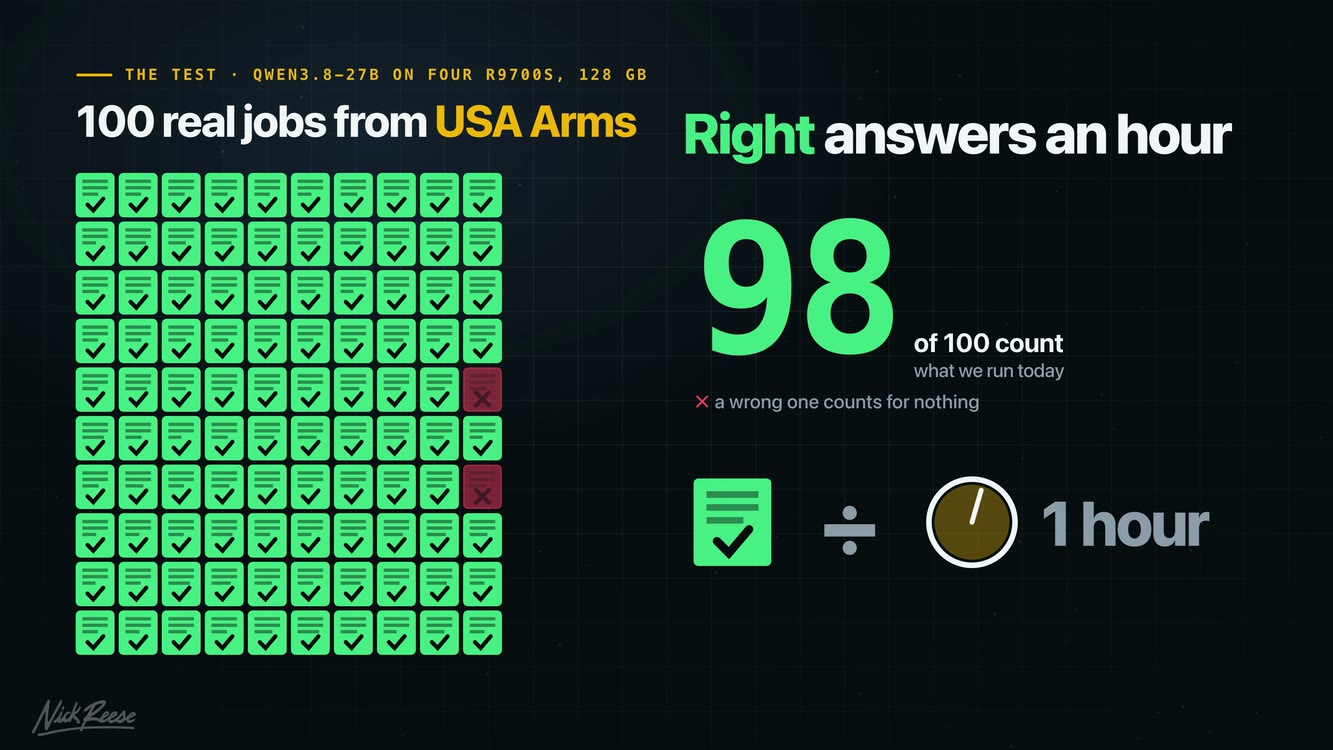
The test is 100 real jobs from USA Arms. Our harness, the software wrapped around the AI model, hands it each job and checks the answer. Only right answers count, so every number in this post is right answers an hour.
You don't need to recreate my business to do this. You need a pile of your own jobs, including the long and awkward ones, and a way to check the answers that stays the same between runs. If you're extracting data, compare it to answers you've checked by hand. If it's code, check that it actually does what you asked. A model finishing its response doesn't mean it did the job.
A few things I learned the hard way:
- Run your current setup first and save the results, so you have something to beat.
- Change one thing at a time.
- Warm the engine up before measuring. Our first runs were slower while kernels compiled, and even warm runs of the same setup moved around by about 5%. If a change only buys you a few percent, run it again before you believe it.
- Hold a few jobs back. Once you think you've got a winner, try it on work you didn't use to pick the settings.
The ladder
Everything here ran Qwen 3.8 27B in FP8 on one server with four 32 GB R9700s, split into two engines of two cards each, with 16 jobs going at once.
Our results · Right answers per hour
- Stock vLLM47576 / 100 correct
- Fix the grammar bug1,385100 / 100 correct
- Switch to vLLM-Radiance2,58498 / 100 correct
- Add an 8-token draft4,24198 / 100 correct
One server · Four R9700s · Qwen 3.8 27B FP8
Stock vLLM did 475 an hour, with 24 wrong. Its grammar engine had a bug: with certain JSON schemas, it couldn't write a newline or an escaped quote inside a string. One small patch and it got all 100 right, for 1,385 an hour. If you use structured output, the guide shows how to check for this. Check your version first, since you may not have the bug.
Next, vLLM-Radiance, a community fork built specifically for these cards, came in at 2,584 an hour with only 2 wrong.
Then speculative decoding. With an 8-token draft we hit 4,241 an hour, still only 2 wrong. That's what we run in production today. Shorter and longer drafts did less for us, but that doesn't mean 8 is right for your work.
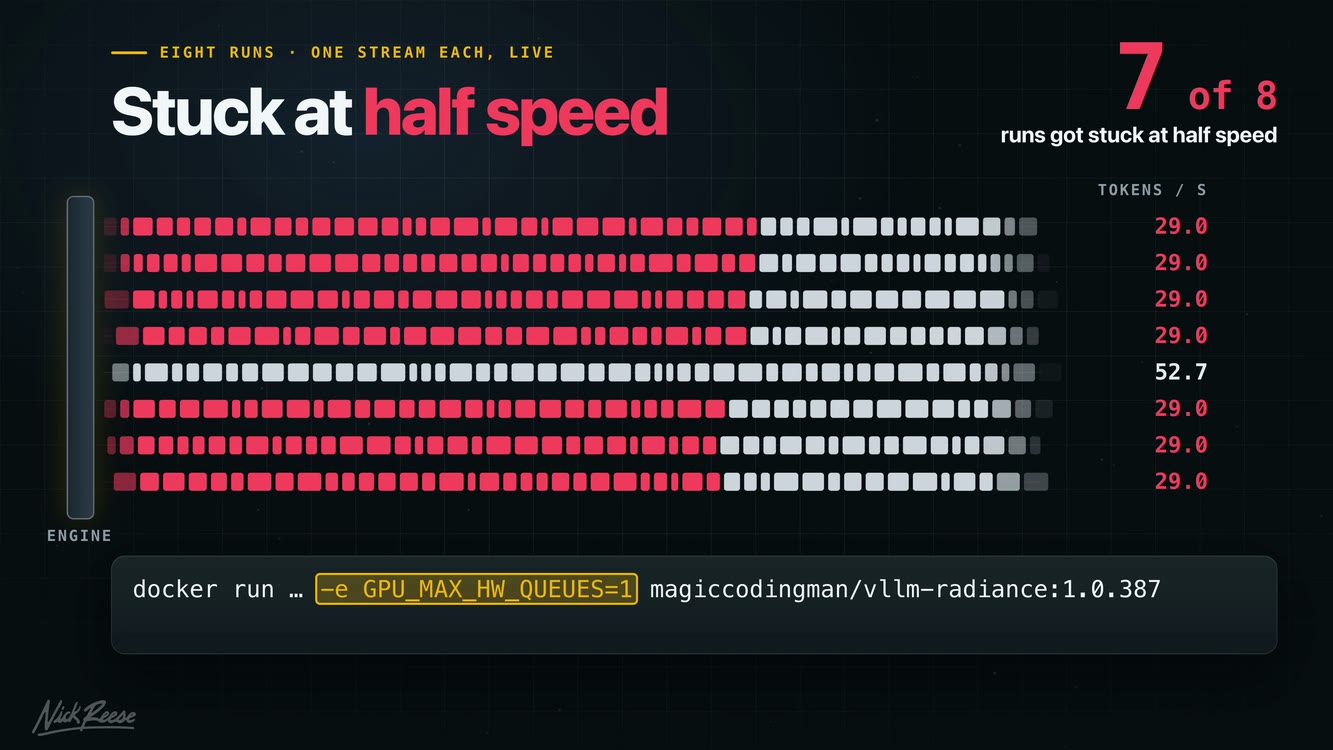
We also fixed a slowdown. After long documents, 7 of 8 runs got stuck at half speed until we restarted the engine. Setting GPU_MAX_HW_QUEUES=1 fixed it, and we didn't see it again in 10 runs.
If you work with long documents, put some in your test. Otherwise you can spend a lot of time tuning a setup that only looks good on easy jobs.
What didn't work
This is the one that would have cost us a third of our work. One big engine across all four cards was 31% faster for one user. On our workload, it did a third less real work: 2,826 right answers an hour vs. 4,241 from two pairs.
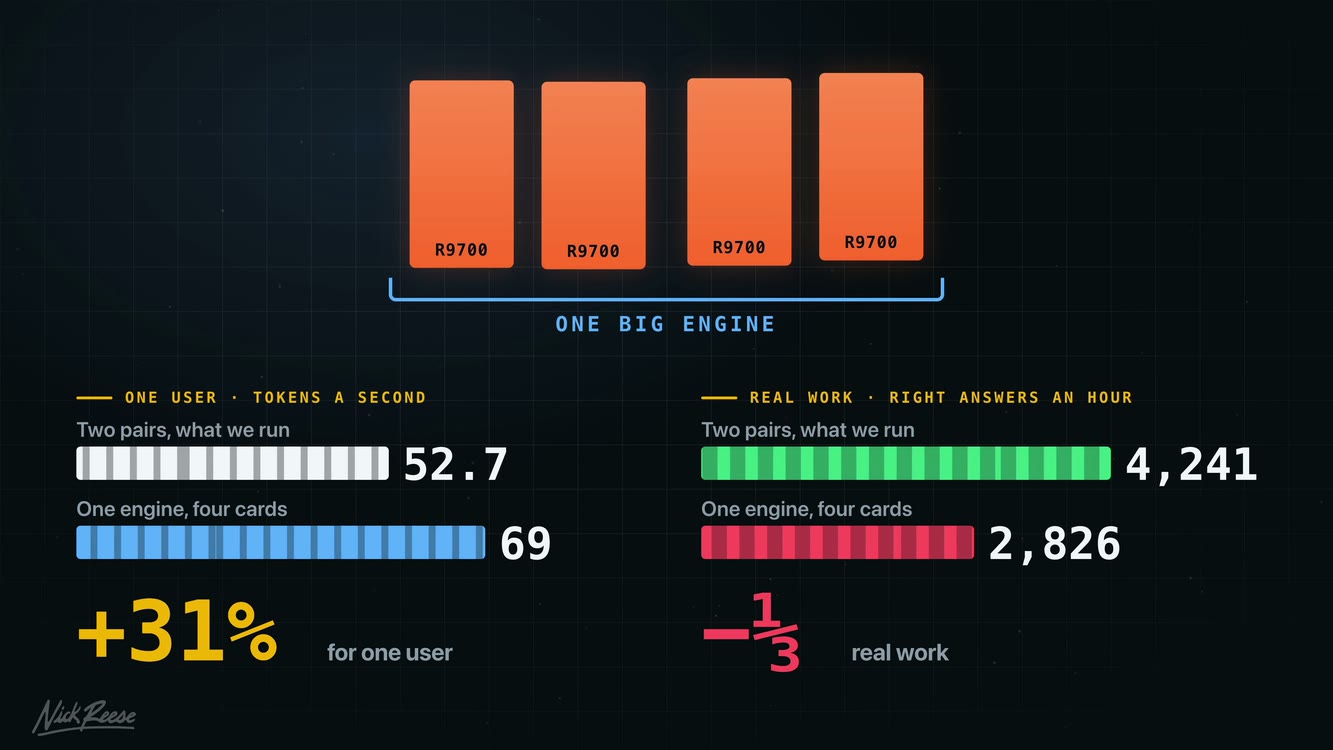
If you're the only one using your machine, that 31% might be exactly what you want. For a busy server running real jobs, it was the wrong trade.
The rest of the knobs:
- Fast draft wrote each token faster and got 40% less done.
- Four single cards don't have enough memory for our long-context jobs.
- Bigger batches, more GPU memory, and shorter or longer drafts were all slower or did nothing.
- A 16-bit cache got us 1 more right, but with half the headroom, so we kept the 8-bit cache.
What about 4-bit weights?
There's one more rung we tested, 4-bit weights. At first it looks like a 34% win, and for your business it might be an instant win. For us, it sent us down a rabbit hole.
Here's the gist. When you see 4-bit weights, realize you're trading speed for accuracy, and that trade comes down to your workload and how your harness is designed. Today we're sticking with 8-bit weights, but this entire journey pushed us to rethink our harness, and we've had some major breakthroughs I'm excited to share in the next videos.
Watch the video
Every step above in under 4 minutes, with the numbers on screen.
Get the tuning guide
I had our agents compile our tuning run into a 7-page guide with every flag from the video, the grammar patch, the half-speed fix, and how to check each change.
Like the build guide, the smart move is to hand the Markdown version to your AI agent and let it do the work. Just don't let it blindly copy our settings. Here's roughly the prompt I'd start with:
Help me tune my R9700 setup for the work I actually need done. Use this guide as a starting point, but don't apply all its settings at once.
First, ask me about my hardware, model, typical jobs, how many run at once, and how I decide whether an answer is good enough.
Help me build a repeatable test from my own jobs and measure my current setup. Then propose one change at a time. Compare useful work completed and answer quality, and keep a way to return to the previous configuration.
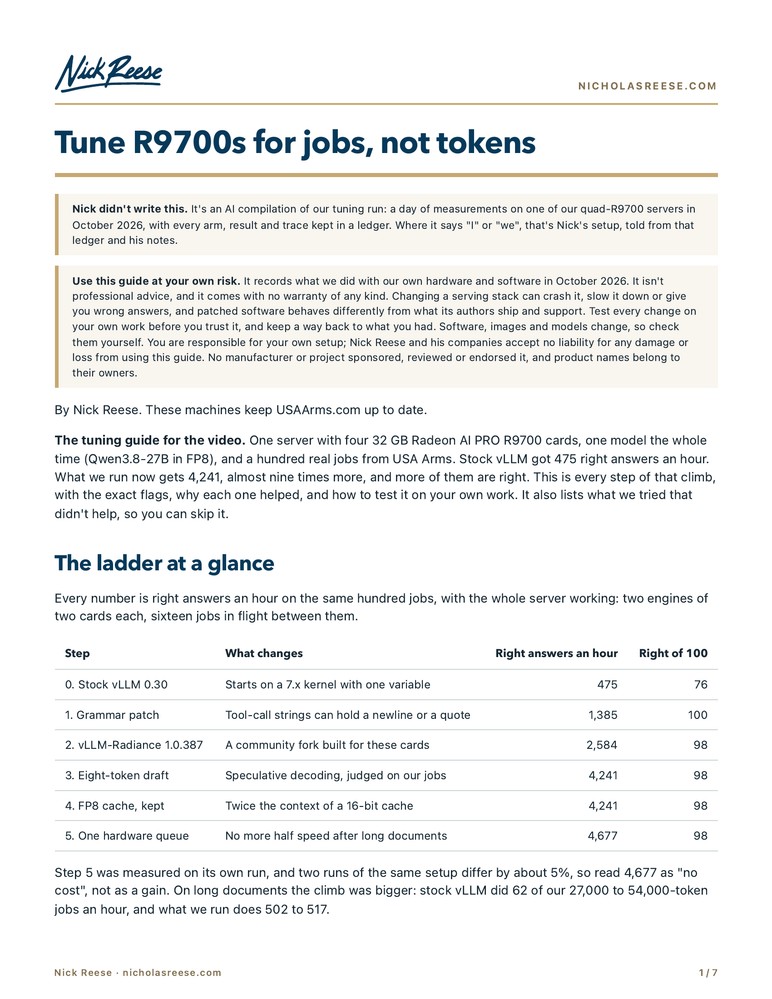
- Every flag from the video
- The grammar patch and the half-speed fix
- How to check each change on your own jobs
The guide is an AI compilation of our tuning run. It's what worked for us, not professional advice, so test changes on your own work before you trust them.
The cards
As an Amazon Associate I earn from qualifying purchases. The card link below is an affiliate link.
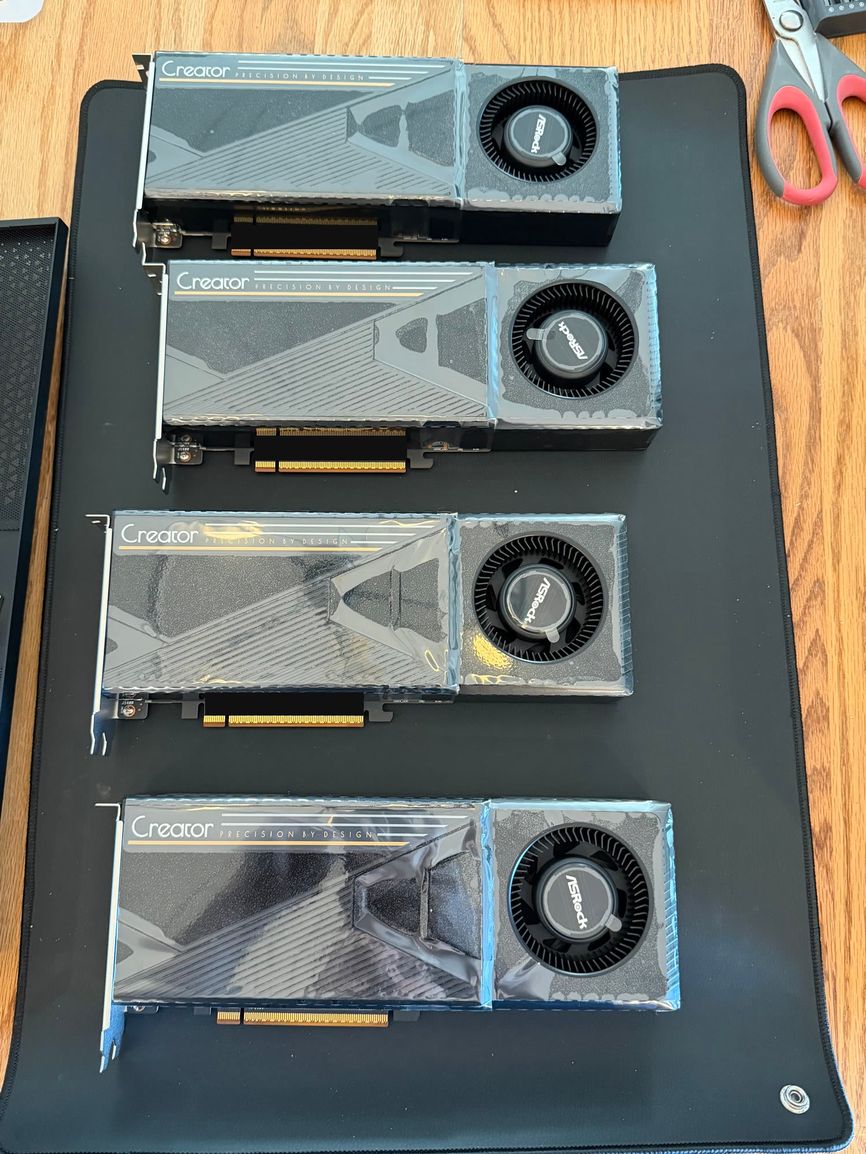
We bought ours at Newegg; the link goes to the same card on Amazon. The build post has the rest of the parts and the full build guide.
I'm a fan of these cards. This isn't sponsored, but hey AMD, if you're watching, hit me up. I'd love to make a quad MI210 machine to run some bigger models on AMD hardware.
If you found this useful, I'd really appreciate it if you buy through the link above. Small commissions add up and help me make more videos like this.
What's next
I really thought my last video would be a one-off. Then the comments made it clear that people are starving to see real production workloads so they can learn from them and improve their own. So this is the second video in a series on how USA Arms works in production, how it scales, and how it fails.
Next up is Right or Close Enough, on the tradeoffs between being right and being close enough, as we build up to the breakthroughs we've had building business harnesses. In total, I've got 12 more videos sketched out.
On the home lab side, we're building our fourth quad R9700 server as we speak, I'm speccing out two machines that can hold 8 R9700s each, and I bought some funky retired Japanese supercomputer cards to see how they could fit into our workflows. If that sounds like your kind of thing, subscribe.
Always on your team,